Go to the makecode.microbit.org website and create a new project.
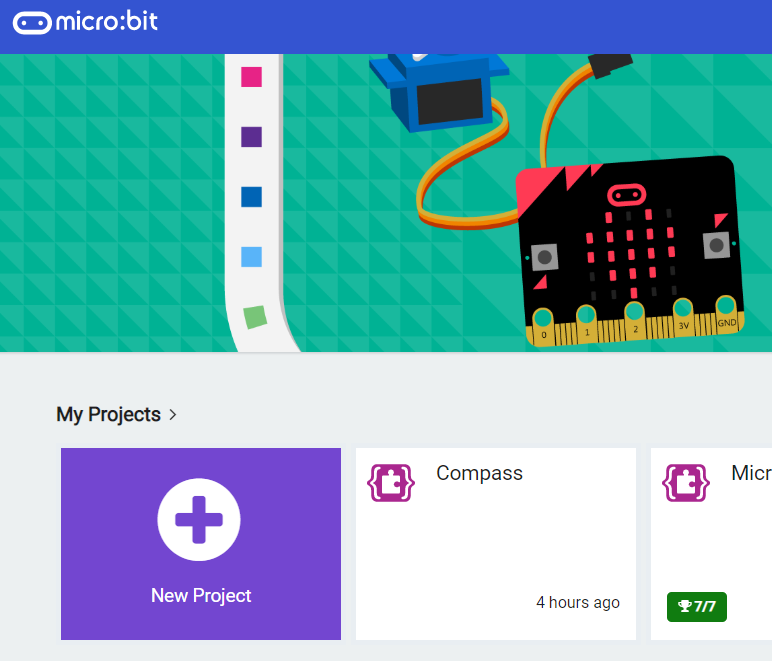
Go to the Makecode.com Microbit website using the link below and click on the 'New Project' button underneath the 'My Projects' heading.
https://makecode.microbit.org/
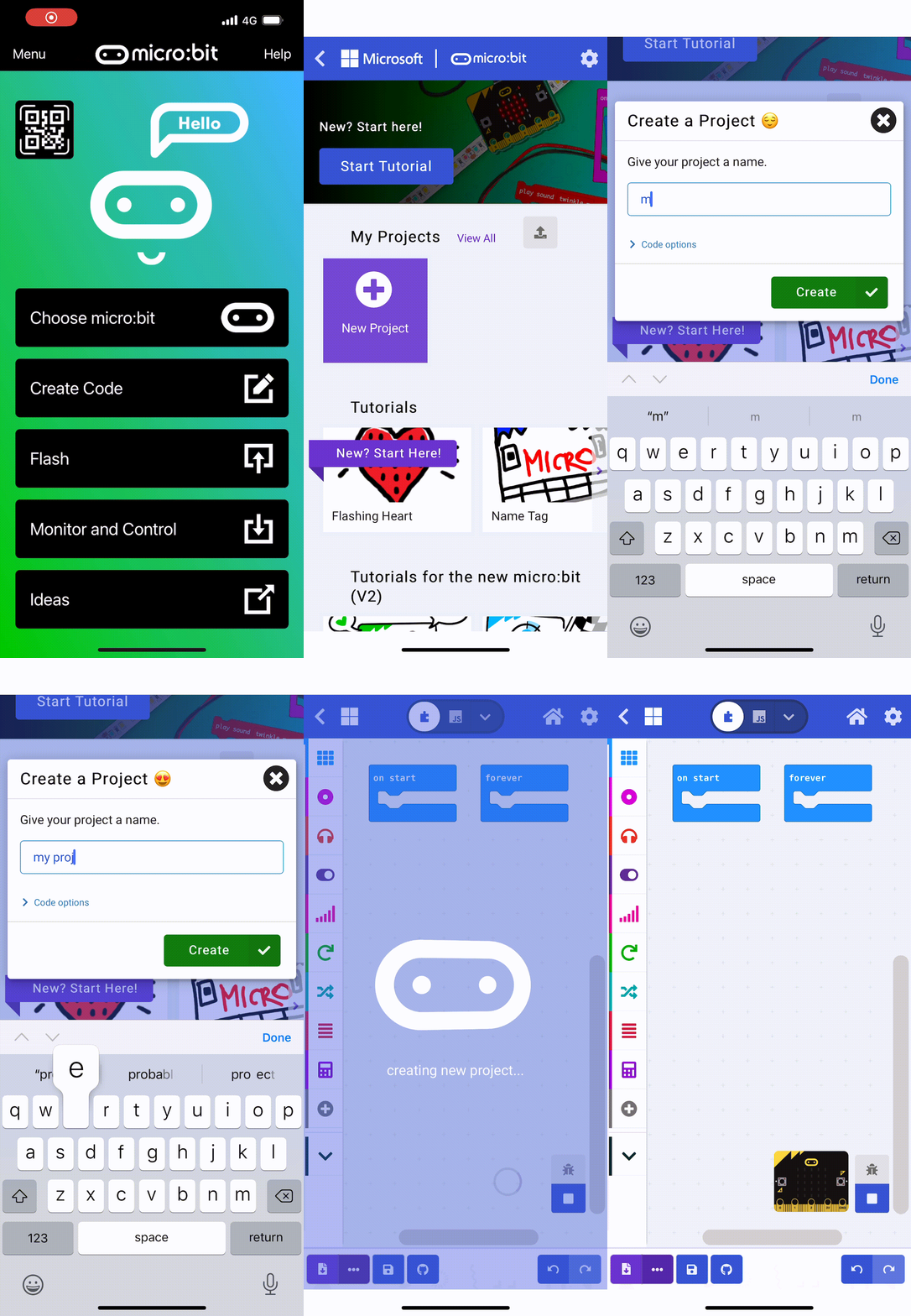
Install the micro:bit app on your iPad or tablet.
Open the app, tap 'Create code' and then create a new project.

In this project we are going to detect when you clap using the microphone in your Microbit. When we detect a clap we will turn on the LED lights of the Microbit or turn them off if they're already on.
To decide whether to turn them on or off we will need a variable to store if they are currently on or off.
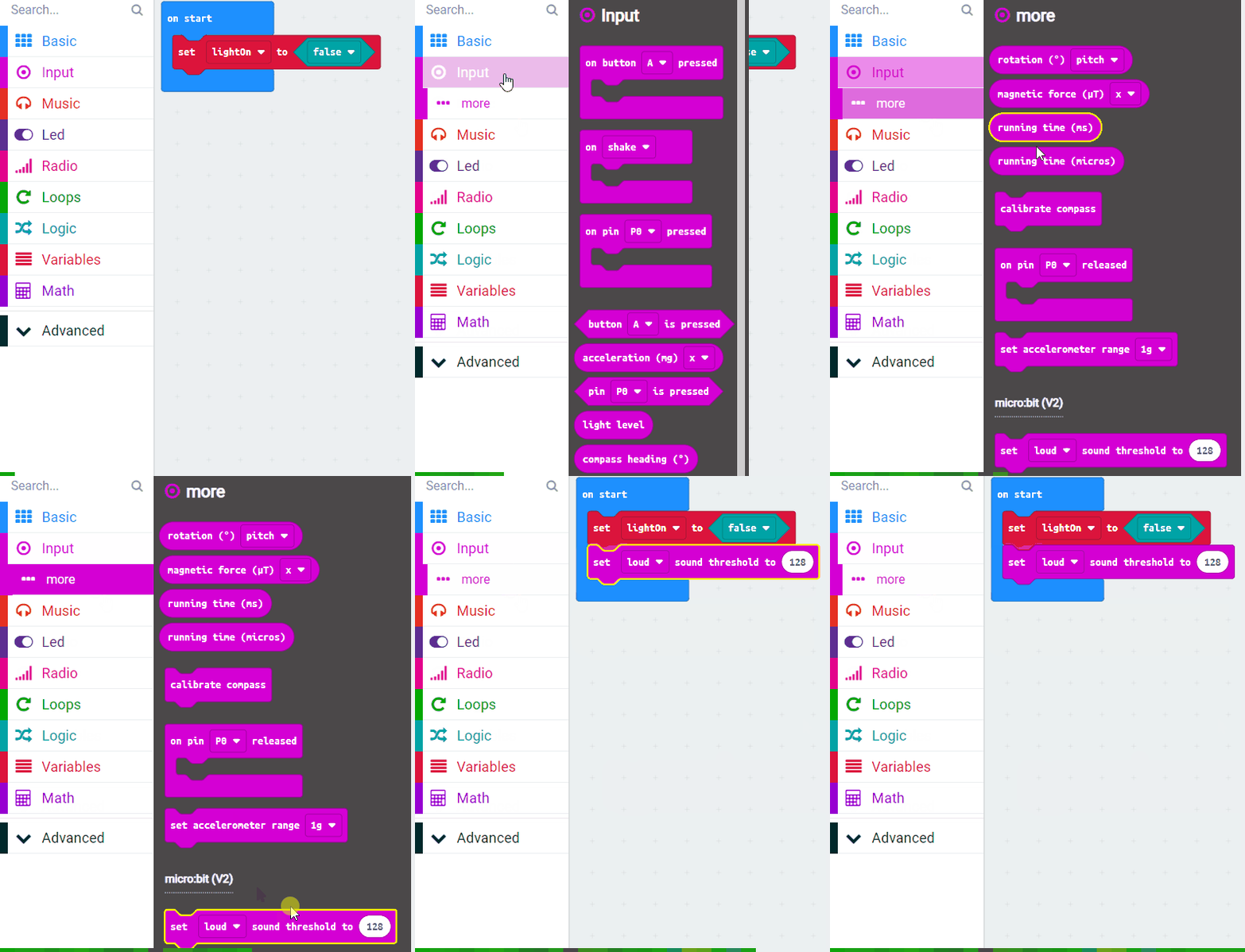
Create a variable called lightOn. and then add the following code to set this variable to false at the start.
let lightOn = false
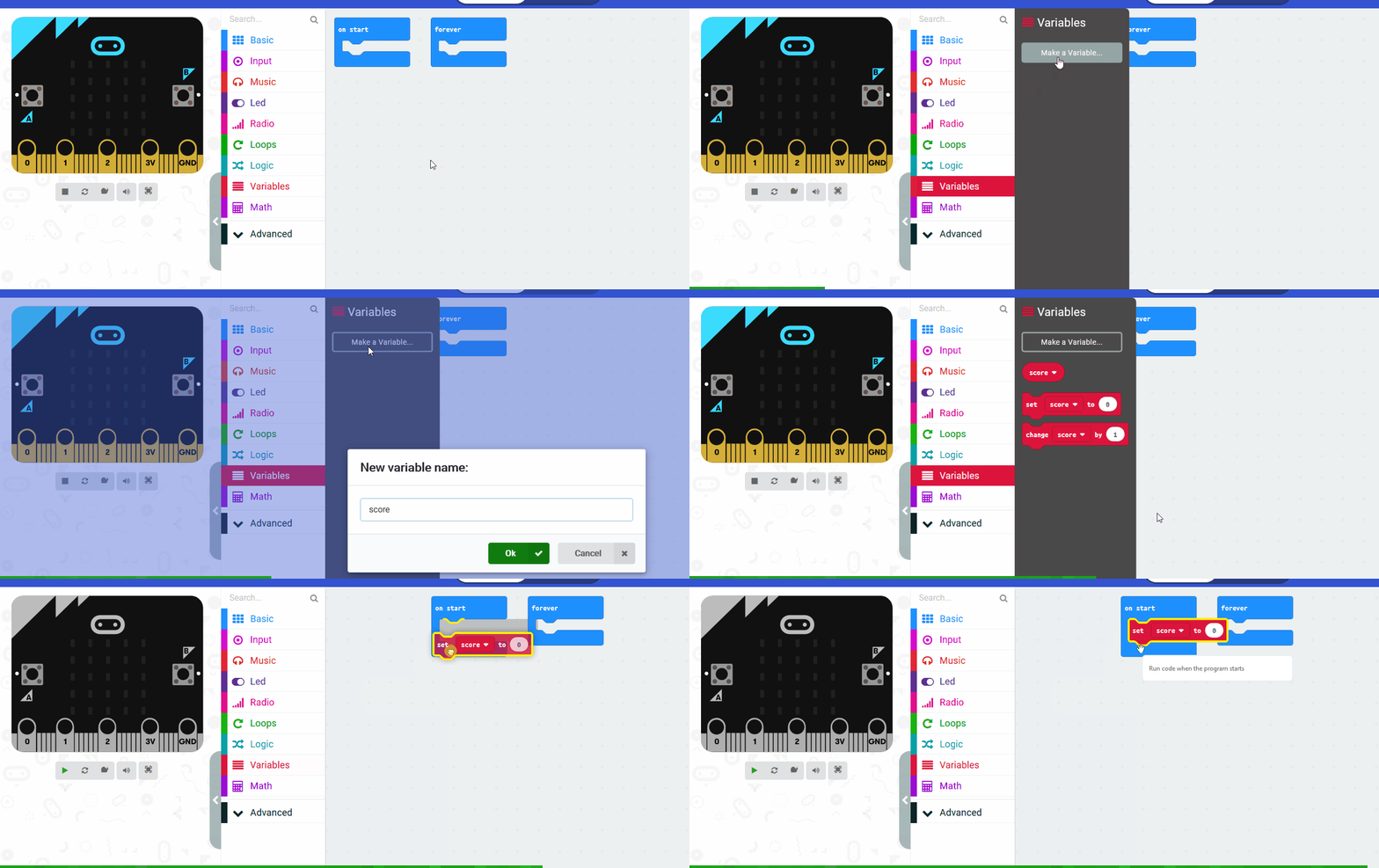
In the Variables toolbox, create a new variable by clicking the 'Make a Variable' button.
Once you click this button a box will appear asking what you want to call your variable. Give it a name that reminds you what you will be using it for. For example, if you wanted to keep track of your score in a game, you would create a variable called 'score'.
For detecting the clap, we need to set how loud a sound we need to listen for. To do this we use the set [loud] sound threshold to block.
Add this block into the on start block and set the value to 128 (the range in 0 to 255).
let lightOn = false lightOn = false input.setSoundThreshold(SoundThreshold.Loud, 128)
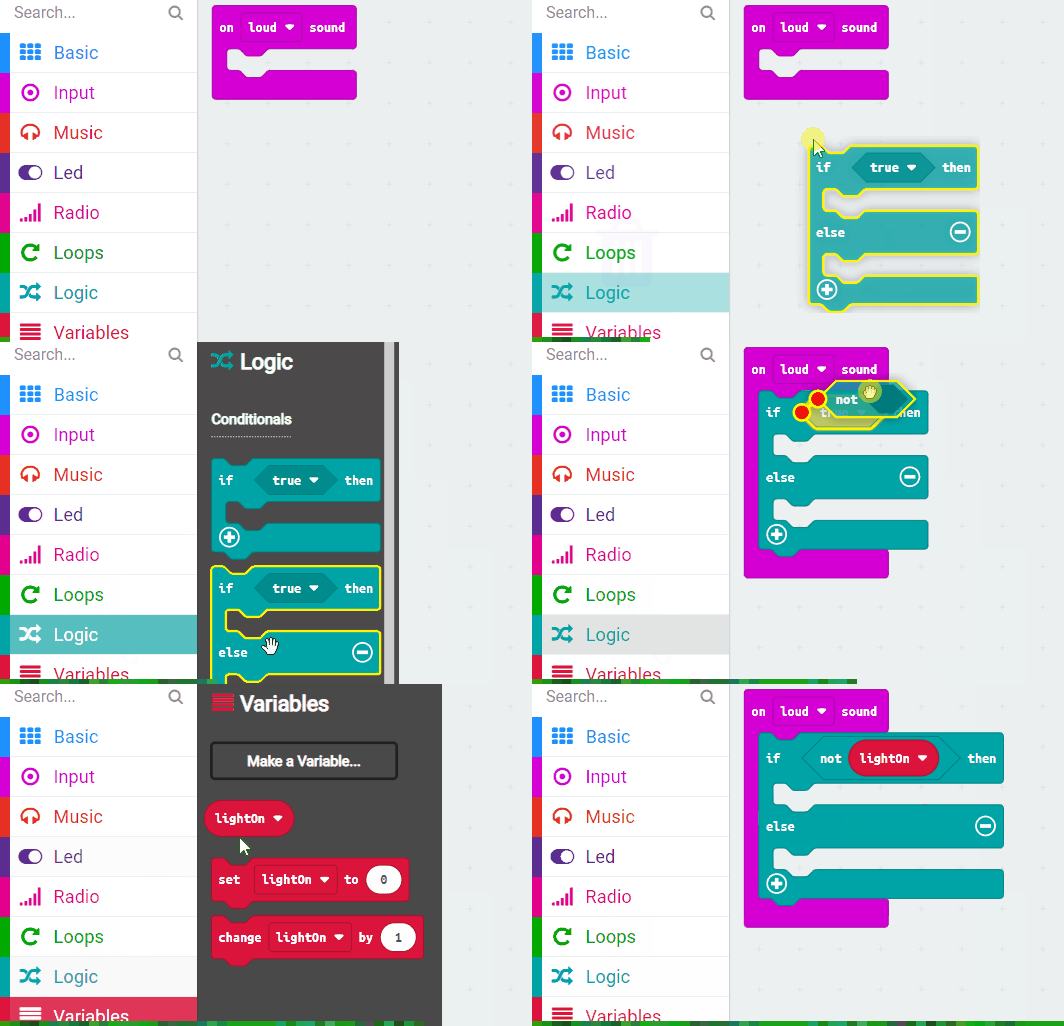
Now to detect the clap we will use the on [loud] sound block.
Add the following code.
input.onSound(DetectedSound.Loud, function () {
})
Next add an if then else block inside the on [loud] sound block and check if "not lightOn".
If the light is not on then we will turn it on else we will turn it off.
input.onSound(DetectedSound.Loud, function () {
if (!(lightOn)) {
} else {
}
})
Now add the following new code to turn on the LED lights and set the lightOn variable to true.
input.onSound(DetectedSound.Loud, function () {
if (!(lightOn)) {
basic.showLeds(`
# # # # #
# # # # #
# # # # #
# # # # #
# # # # #
`)
lightOn = true
} else {
}
})
Now add the following code into the "else" part. This will turn off the LED lights and set the lightOn variable to false.
input.onSound(DetectedSound.Loud, function () {
if (!(lightOn)) {
basic.showLeds(`
# # # # #
# # # # #
# # # # #
# # # # #
# # # # #
`)
lightOn = true
} else {
basic.clearScreen()
lightOn = false
}
})
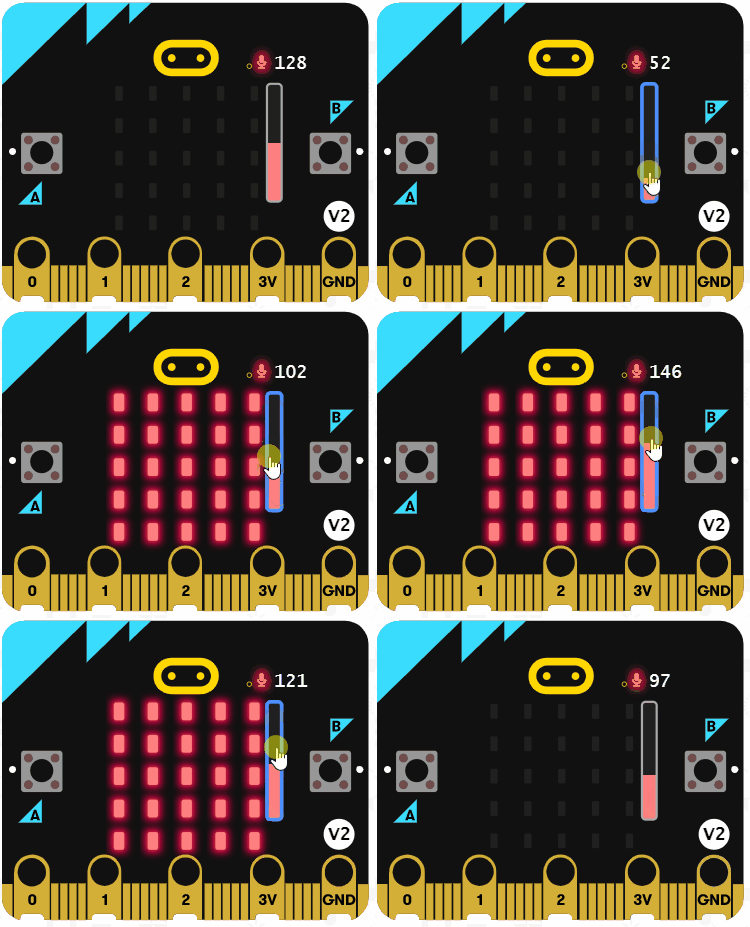
That's all the code added so test that it works in the simulator by dragging the sound level up and down.
When it goes over 128 it should turn the lights either on or off depending on the lightOn variable.
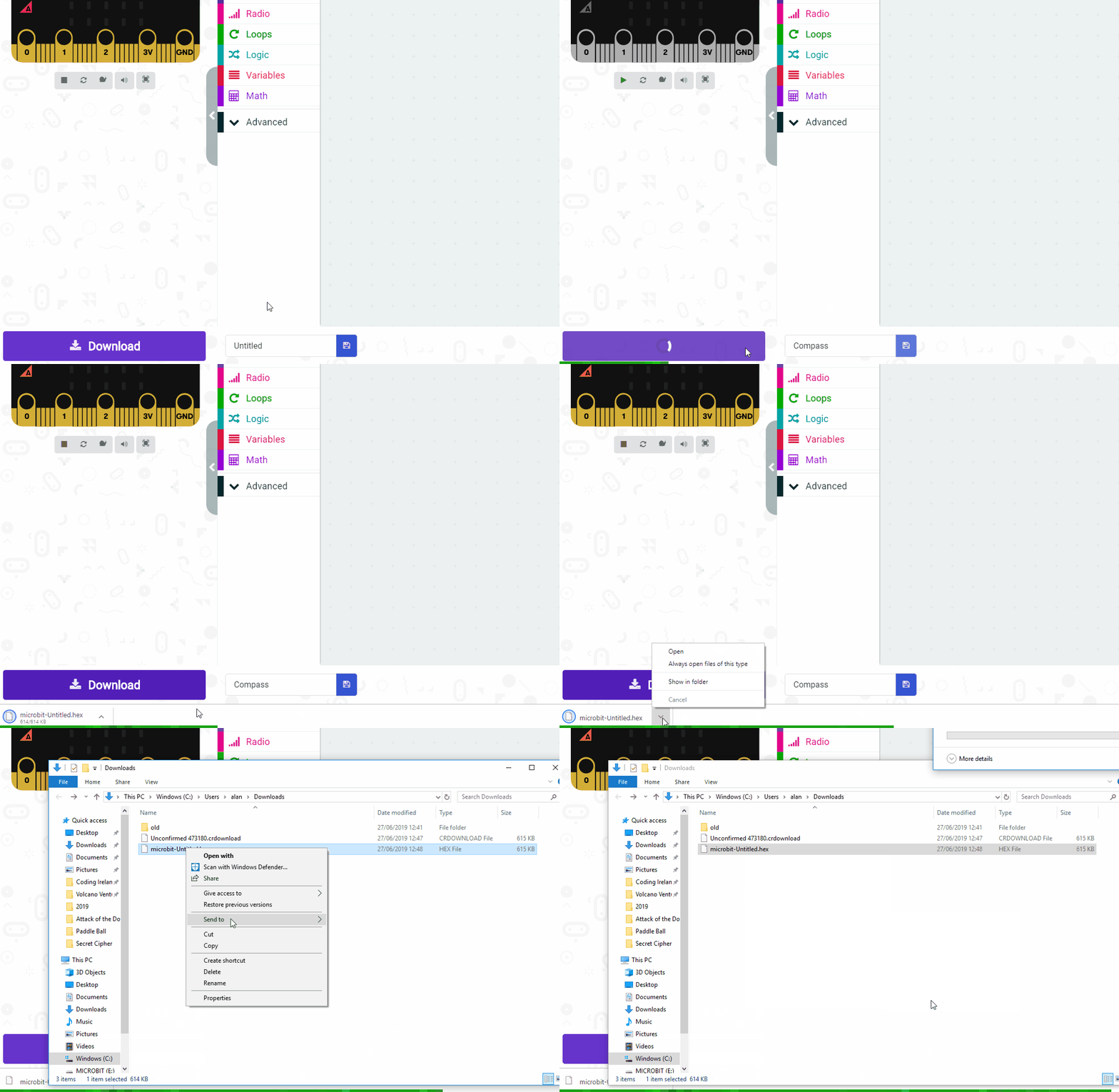
Finally download and send the code to your Microbit and test that it works by clapping.
You may need to adjust the value in the set [loud] sound threshold to block.
Give your project a name and send it to your Microbit by following these steps:

Every lesson in the course is ready to teach like this one. See what else comes with it, and how to order it.